Features / digital membership card
A membership card that lives in your members' wallet.
A digital membership card in Apple Wallet and Google Wallet that updates itself when members renew or upgrade, and works for check-in at the door with a QR code or an NFC tap. Built as part of your own app, connected to your membership data.
A member renews. The date updates by itself.
What members get
Their card, right where they look for it.
Always at hand
The card sits in Apple Wallet or Google Wallet, one double-click of the side button away, next to their payment cards.
Works without signal
Wallet cards open offline, so the line at the door doesn't depend on the venue's Wi-Fi.
Tap or scan at the door
Members tap their phone on an NFC reader, like paying with Apple Pay, or show a QR code to be scanned.
iPhone and Android
Apple Wallet on iPhone and Google Wallet on Android, from the same membership, with updates they notice on the lock screen.
Standalone or connected
A card on its own is a picture of a membership.
Most wallet card tools create a card and stop there. When the card is connected to your app and your membership data, it stays true as memberships change during the year.
| When | A standalone card | A card connected to your app |
|---|---|---|
| A member renews | A member renews Issue a new card, or update it by hand in the pass tool. | The valid-until date updates on the card within seconds. |
| A member upgrades | A member upgrades The card still shows the old tier until someone fixes it. | The new tier, perks and design appear on the card automatically. |
| A membership ends | A membership ends The card keeps looking valid in their wallet. | The card shows it's expired, and the door scanner says so. |
| Check-in at the door | Check-in at the door Staff look at the card and hope it's current. | Members tap or show a code, and staff see the live membership, name and tier. |
| Perks and offers | Perks and offers A static list on the back of the card. | Perks, guest passes and offers that match the member's tier. |
How it works
From a renewal to the door, in seconds.
- Membership changesA member joins, renews, upgrades or cancels, in the app or at the front desk.
- Your backendThe app's backend updates the membership and signs a new version of the card.
- Apple and GoogleApple Wallet and Google Wallet push the update to the member's phone.
- The card updatesThe card in their wallet changes, with a short notification.
- Tap or scan at the doorMembers tap an NFC reader or staff scan the QR code, checked against the live membership.
Example
The JACKALOPE Pass.
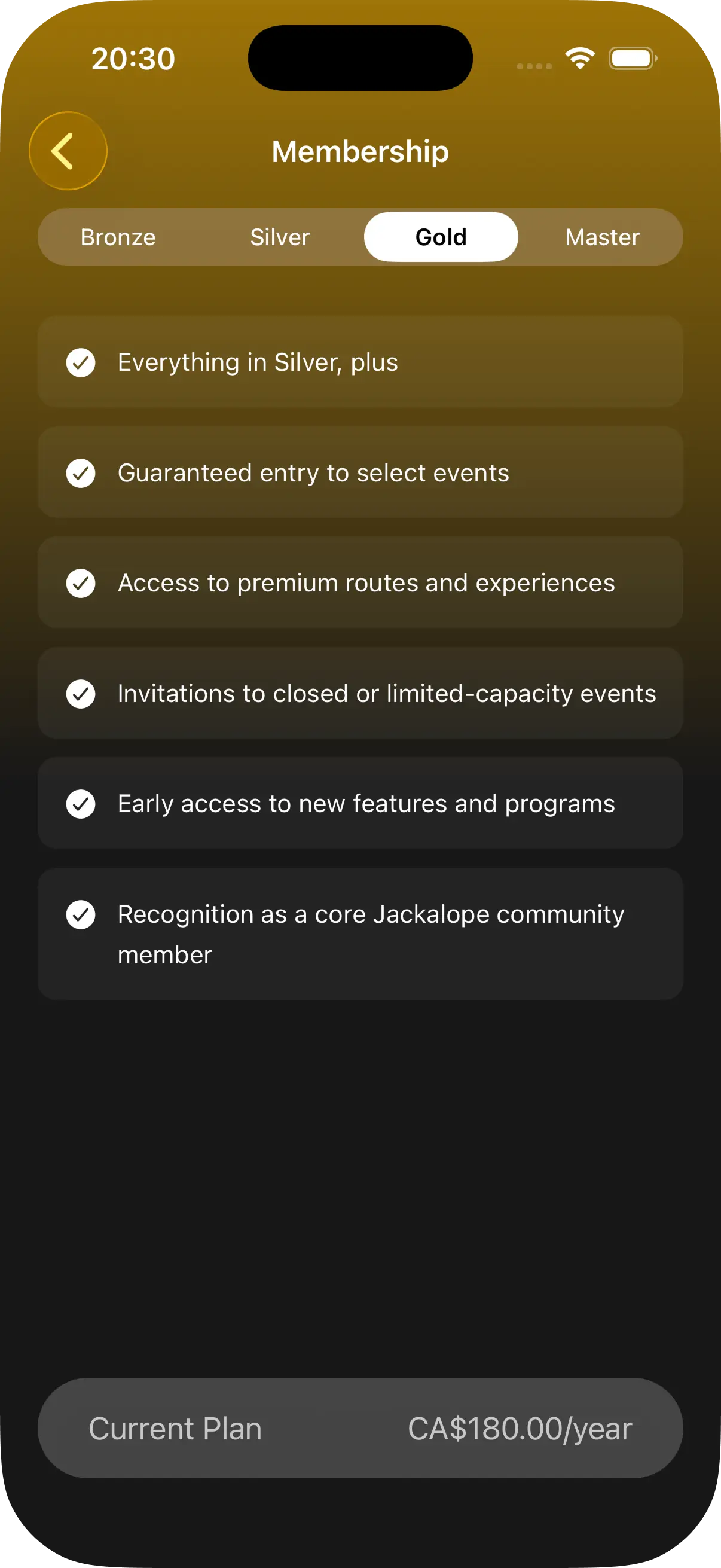
Jackalope runs action sports festivals and a brand fans follow all year. The JACKALOPE Pass is an annual membership in its app, with tiers, partner perks, member prices in the shop and check-in at venues with a wallet pass.
Members choose a tier in the app, and their pass carries that tier to the door, the shop and partner venues.
What it takes
What a wallet card needs behind it.
Apple and Google accounts
An Apple Developer account with a pass certificate, and a Google Wallet issuer account. Both are in your name, so the cards are yours.
A backend that signs and updates cards
Cards have to be signed and kept up to date when memberships change. This is part of the app's backend, connected to your membership data.
A design within the wallet layouts
Apple and Google set the card layouts. Within them, your colors, logo, fields and barcode make the card feel like yours.
NFC tap, if you want it
Tapping a phone on a reader, like Apple Pay, needs approval from Apple for NFC passes and from Google for Smart Tap, plus compatible readers at the door. QR codes work everywhere from day one, so many clubs start there and add NFC later.
No fees per card
Apple and Google don't charge for wallet cards or updates. The Apple Developer account costs $99 a year, which an app already needs.
Pass tool or your own app
When a pass tool is enough.
Pass tools like PassKit, Passcreator or Cuseum create wallet cards quickly, and for a card on its own they're the cheaper choice. A card built into your app makes sense when it's part of a bigger membership.
A pass tool is probably enough if
- You only need a card, not an app.
- Memberships rarely change during the year.
- Your membership software already exports to a pass tool.
- Check-in is a quick look, not a scan against live data.
A card in your own app makes sense when
- Members renew, upgrade or pause during the year.
- Check-in at the door has to know who is a current member.
- The card is one part of an app with perks, events or content.
- You want the card, the app and the data in your own accounts.
Checking members in at the door? See member check-in.
Giving members perks? See member perks and loyalty.
Building a membership app? See how I approach membership apps.
Running a studio, gym or club? See fitness apps.
Running events or festivals? See event and festival apps.
Questions
About digital membership cards.
Start a conversation
Let's talk about the app you're imagining.
A clear vision or a feeling that your business is ready for something more is a good place to start. We'll explore what it could look like, what it would take and whether Phico is the right fit.
Prefer to see an idea first? Get a free app concept.